Free
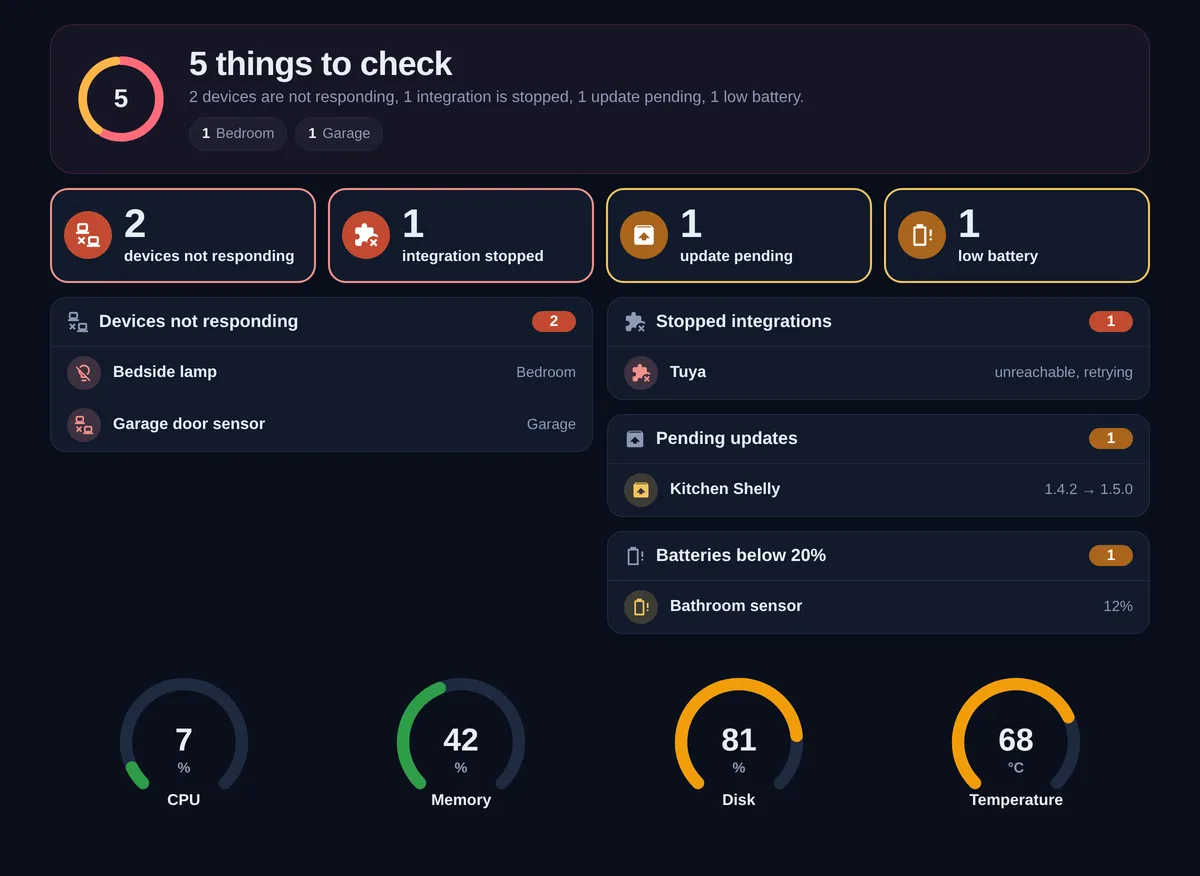
Issues dashboard
Devices that stopped responding, integrations that failed, updates waiting and batteries running low, counted and grouped by area.
Homeray is an X-ray of your home: it shows which devices stopped responding, which integrations failed and how your network runs from the router to the garage, floor by floor.
Free and open source. Works with any Home Assistant dashboard, no other cards needed.
No YAML to write for the issues card: it reads devices, integrations, updates and batteries on its own, and every row opens the thing that needs attention.
Devices that stopped responding, integrations that failed, updates waiting and batteries running low, counted and grouped by area.
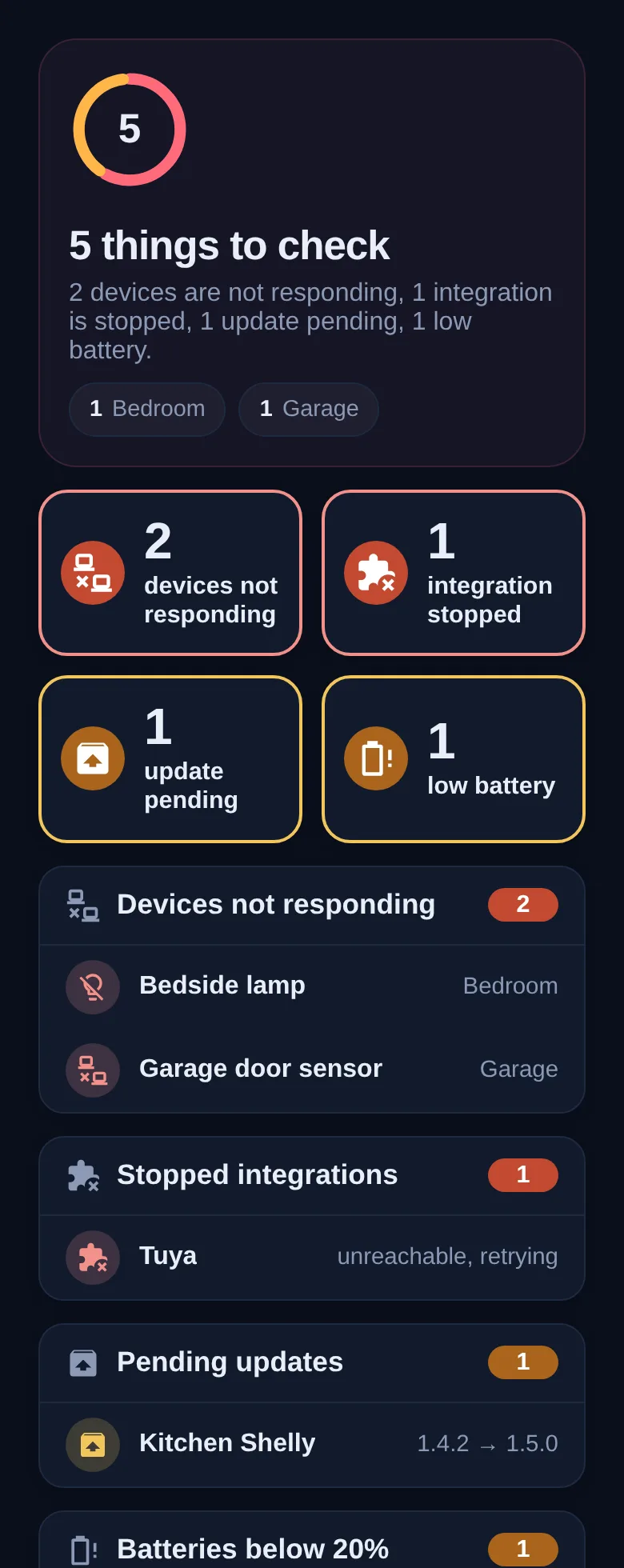
CPU, memory, disk, temperature or any sensor, with orange and red thresholds you choose.
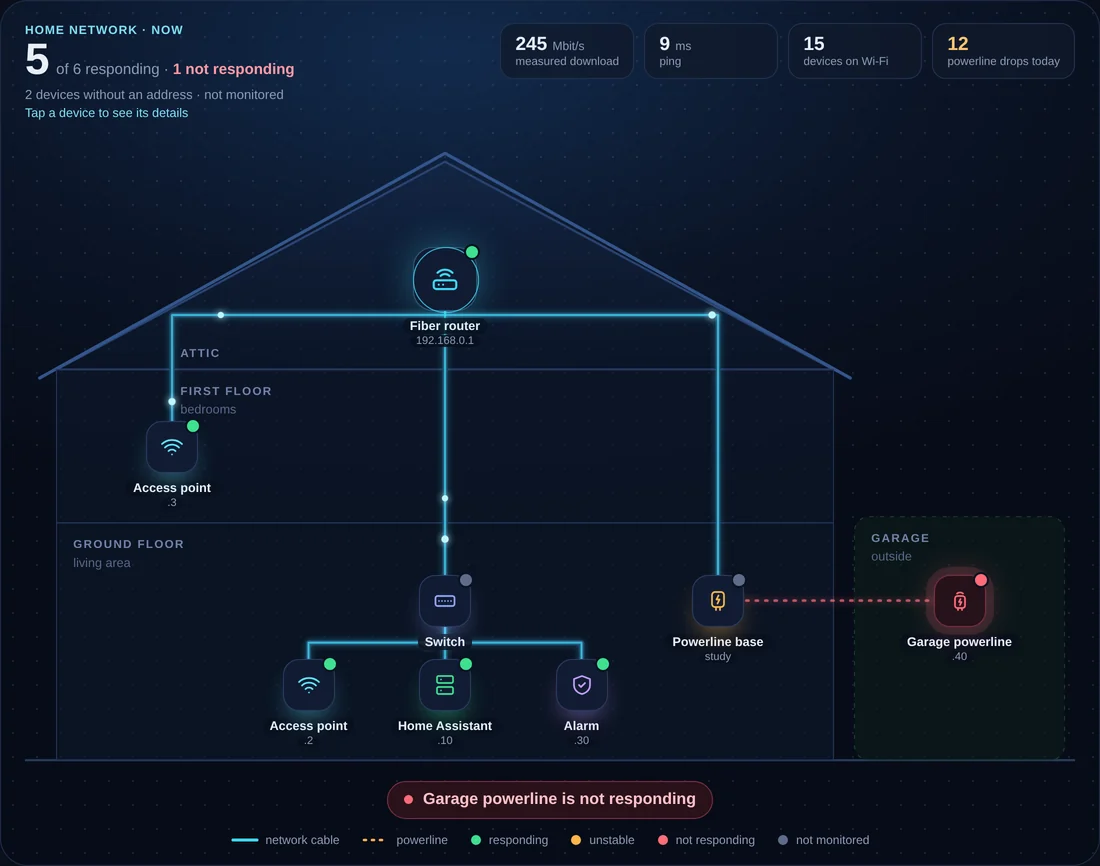
Your house drawn as a cross-section, with every router, switch and access point on its floor, real cables and powerline links, live status and a detail sheet for each device. You list the floors and what connects to what; the map draws itself, on desktop and phone.
| Homeray | Homeray Pro | |
|---|---|---|
| Issues dashboard | ✓ | ✓ |
| Ring gauges | ✓ | ✓ |
| Home map, drawn automatically | — | ✓ |
| Dark theme and ready-made system dashboard | — | ✓ |
| Demo mode with fake data, for screenshots | — | ✓ |
| Step-by-step guide and email support | — | ✓ |
| Price | Free | |
| Get it on GitHub | Get Homeray Pro |
In HACS, open Custom repositories and add AndreaGuarducci/homeray-cards as type Dashboard.
Search for Homeray, download it and reload the page. HACS adds the resource for you.
Edit a dashboard and add type: custom:homeray-issues-card. That is all it needs.
The automatic map is tidy. If you want your actual rooms, walls and cable runs, I draw the map for you and send a configuration ready to paste.
Yes. The issues card and the gauges follow your Home Assistant theme, light or dark. The home map has its own dark background so it reads the same everywhere.
No. Homeray needs nothing else from HACS.
A device is listed when all of its entities are unavailable. Devices you switch off on purpose, like a washing machine, can be excluded with a label.
English and Italian, picked from your Home Assistant language.
No. Homeray is an independent project and is not affiliated with Home Assistant or Nabu Casa.